
Desktop
The easiest way to get software
Xandros Desktop Professional is a complete, full-featured Linux desktop operating system and application suite for your business. Enjoy the ease of use, security, stability and maintainability that Linux brings to your PCs.
Easy to use
It’s a familiar Windows-like desktop and application suite that’s easy to install, use and maintain-even in mixed Windows/Xandros Linux environments. Many excellent applications are included to support your digital lifestyle at work and play.
Easy to connect
Connect to your digital camera, MP3 player and other devices. Join wired and wireless networks. Access broadband networks with 3G, GSM and UMTS support. Use PPTP VPN to connect to your office remotely. Authenticate to Windows PDC and Active Directory domains.
Works with Microsoft
Create, open and edit Microsoft Office documents with OpenOffice.org. Dual-boot into either Xandros or Windows on the same PC, and read and write to the same files from either operating system.
Secure
Xandros Security Suite reinforces the already secure Linux platform against threats like viruses, worms, spyware and rootkits and helps prevent the spread of malware to other computers. The included firewall, anti-virus, file-system protector and Xandros Networks Update assess your vulnerabilities and ensure that you have the best and most current protection.
Sample of included applications
- Desktop Search. Find your files, emails and other data quickly using keywords or phrases.
- Firefox Web Browser. Browse the Web quickly while eliminating frustrating spyware and pop-ups.
- Instant Messaging. Chat with your friends on Yahoo!®, MSN™, ICQ™, AOL® and AIM®–all from one interface.
- E-mail & Groupware. Send, receive and organize e-mail and attachments from multiple accounts while blocking spam. Connect to Scalix, Exchange and other corporate mail servers.
- Skype. Make free calls through your computer.
- Office Suite. Use OpenOffice.org to create, view and edit documents, spreadsheets and presentations that are compatible with MS Office®.
- Music Manager. Listen to music from CDs, MP3s and the Web. Rip CDs into MP3, Wav or Ogg files and organize your music in playlists. Download album covers, artist and album information from the Web. Sync your music with your iPod. Burn your own music CDs in MP3 or Audio format.
- Photo Manager. Import photos from your digital camera. View, edit and organize your photos into albums and slideshows. Post them online or print them at home.
- Image Editor. The GIMP image editor is a sophisticated tool for both novices and professionals. Use its simple paint features to create images, delve into its expert-quality features to retouch photos, or tap its extensive abilities to process thousands of images in a production setting.
- Xandros Networks. Keep your system up to date with the latest Xandros updates. Download and install new software from the Xandros online library with one click.
- Xandros Security Suite. Includes the Xandros Firewall, Anti-Virus, Xandros Networks Updates, and a rootkit checker all managed from one console.
Core Technology
- Linux kernel upgraded to version 2.6.18 or newer
- Portland LSB xdg-utils
- Based on the DCC Alliance standards-based Debian core 3.1 (Sarge)
- X Windows System 7.1 + Individual drivers
- KDE 3.4.2 Xandros Enhanced
What’s in the download
- Installation CD – All of the core components and bundled applications included with your purchase of Xandros Desktop – Professional.
- Applications CD – A library of additional included applications.
- Xandros User Guide – A detailed, 300+ page guide to help you get the most out of your Xandros Desktop.
- Getting Started Guide – A printed manual providing instructions for easy installation and setup.
Trial Version
The trial version of Xandros Desktop Professional is valid for 30 days from the time of installation. At the end of your 30-day trial period, Xandros Desktop Professional automatically shuts down 30 minutes after booting. The trial version includes all of the features of Xandros Desktop Professional with the following exceptions:
- No MP3 encoding
- No Applications CD (all applications may be downloaded from Xandros Networks)
- No User or Getting Started Guide
Benefits
- Easy to use
- Easy to connect
- Works with Microsoft
- Secure
Features
- Easily connect to MS Networks
- 3D Desktop Effects
- Desktop Search
- Bluetooth Wireless Support
- Broadband Mobile Support
Get Xandros Desktop
Xandros Desktop Professional with applications, tools and support costs $99.99.
Buy Now ».
IP Protection
You have the option to acquire Microsoft patent assurance on Xandros Desktop products. The program costs $50. Learn more by reading Microsoft’s covenant.
System requirements
- Processor:
Any Intel Pentium or Celeron processor. Any AMD K6/II/III, Duron, Athlon, Athlon XP/MP processor. At least 450 MHz recommended. - RAM:
Min 128 MB required, 256 MB recommended. 1.5 GB available space on hard drive, 3 GB available space recommended. - Additional Requirements:
Bootable CD-ROM. 3D Effects have special video requirements. Please visit our 3D effects section to learn more.
Downloads
Screenshots
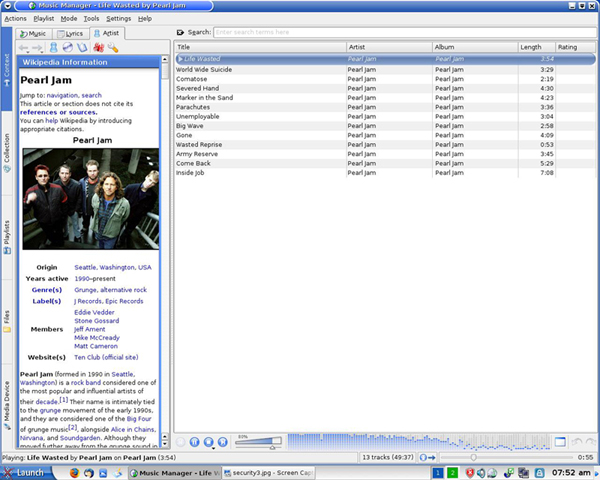
Organize and play your favorite songs
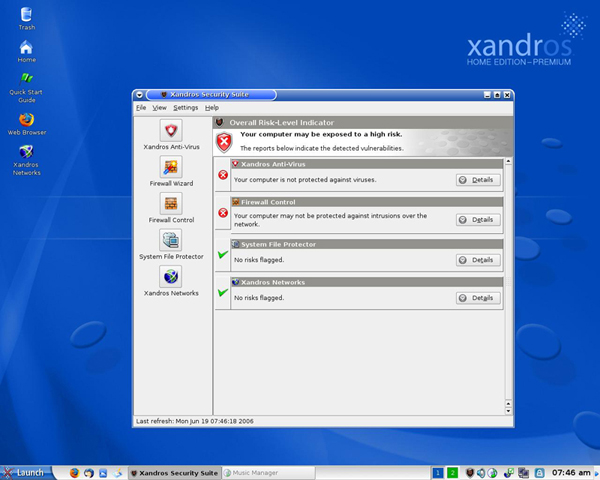
Xandros Security Suite
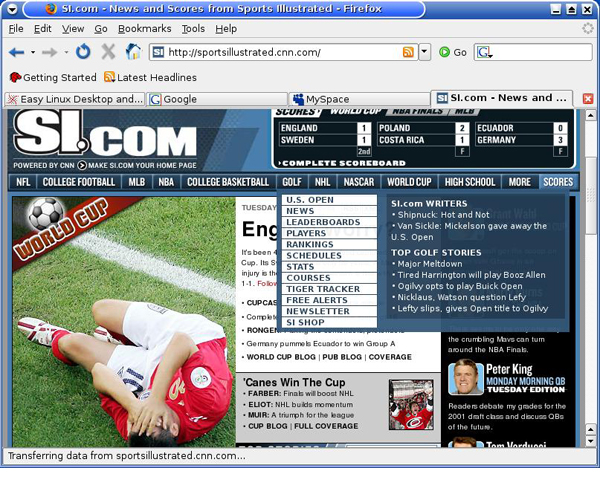
Surf the Web with Firefox